Front door security often becomes urgent only after a scare. Most intruders do not look for complex entry points; they go straight for the front door, where a kick‑in or quick pry can be enough for many standard door and frame setups. A DIY home security system helps most when it is built around this reality.
DIY front door security usually starts with simple, low‑cost improvements and a routine you will actually follow, not a complicated whole‑home system. In this guide, you’ll learn what to prepare, how to build the setup in a sensible order, where a doorbell camera and smart lock fit, and the small checks that keep it reliable over time.
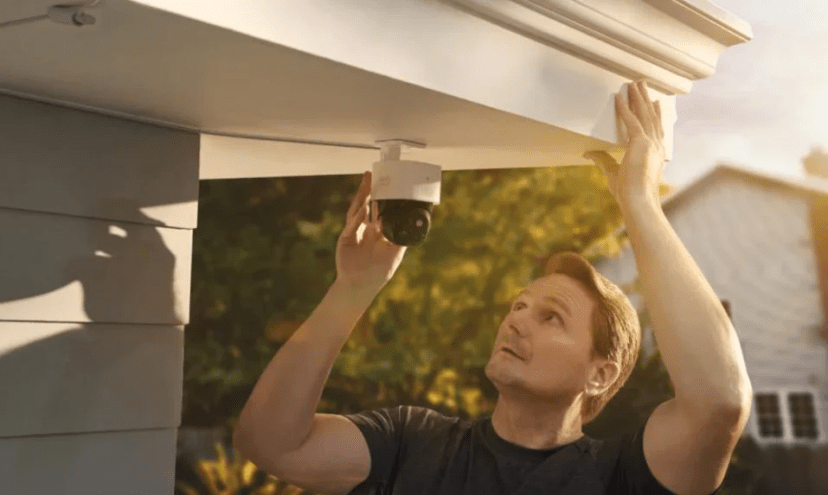
This guide is for general information only. If you believe someone is actively trying to break in, leave the home if you can and contact local authorities right away. If your rental or HOA restricts hardware changes, follow your lease terms and get written approval before modifying locks or the door frame.
What you will need
Before you start, gather your tools and decide which upgrades you will do now versus later. Being prepared makes the installation faster and reduces half finished setups that never get tuned.
Equipment and tools
- Drill or screwdriver
- Tape measure
- Flashlight or headlamp
- Step stool or ladder for doorbell mounting
- Phone with app notifications enabled
If you only have time for one check today, make it the screws at the hinges and strike plate. Those are often weak links.
Materials and optional gear
- Longer screws for hinges and strike plate
- Reinforced strike plate or reinforcement kit if you can install one
- Deadbolt in good condition or an upgraded deadbolt if yours is loose or worn
- Front entry lighting or motion activated light if your entry is dark
- Video doorbell or front door security camera\
- Smart lock if you want keyless entry and access control
You do not need to buy everything at once. The steps below work even if you start with reinforcement and add devices later.
How to build a DIY home security system for your front door
Real security is layered. Reinforcement buys time, visibility reduces uncertainty, and access control gives you choices. The steps below build those layers in a practical order.
Step 1 Identify the weak point first
Start with a quick check so you know where effort matters. Wiggle the door when it is closed; if the door has play, the latch alignment and strike plate area may be weak. Check the hinge screws too, because many doors use short screws that only bite into trim or thin jamb material.
If the door frame area feels soft, splits easily, or has visible damage, reinforcement alone may have limited benefit until the underlying structure is addressed.
Step 2 Strengthen the door with the basics
Basic upgrades are still the highest return starting point because they are affordable and they buy time. Replace short hinge screws with longer screws that reach solid framing. Upgrade the strike plate so force is spread across more material and more fasteners. Make sure the deadbolt throws cleanly and does not bind.
If you use a night only device like a security bar or floor lock, test it for a fast exit. A security upgrade that slows you down in an emergency is not a win.
Step 3 Add visibility with a front door security camera or doorbell
A front door camera is less about collecting footage and more about awareness. It helps you see who is at the door in real time, get motion alerts, and reduce the number of times you are guessing what happened.
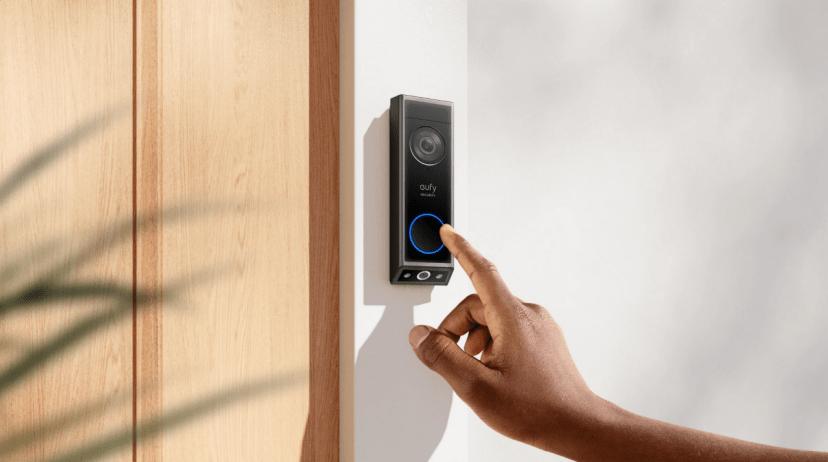
If you want a modern video doorbell option to start with, it usually makes sense to compare a few models side by side before buying. If your entry is tricky (a side approach, a deep porch, or a driveway that feeds into the front steps), a wider‑angle camera may be the better “second piece,” but it is usually easier to decide that after your first week of real alerts.
Step 4 Tune alerts so you do not ignore them
The fastest way to make a security system useless is alert spam. Start simple: turn on person detection if your device supports it, use activity zones to exclude the street and neighbors’ walkways, and adjust sensitivity until you get “someone on the porch” alerts without “every headlight” alerts.
One expectation to set early is that zones and detection are rarely perfect out of the box. People do report “someone is spotted” alerts firing outside their activity zone until the borders and modes are tuned to their exact view and lighting. One recent example from the eufy community describes getting notifications and recordings “not in the activity zone” even after setting zones, which is a good reminder to treat alert setup as a quick tuning pass rather than a one‑time switch (Source: eufy Community, 2025).
If you share the home with others, set notification rules intentionally. Give view only access by default and limit admin permissions to one or two people so settings do not drift.
Step 5 Control access with a smart lock
Smart locks add a different layer: control. They can support keyless entry, remote lock and unlock, and access history. In practice, that helps with temporary guest entry, managing family access, and avoiding hidden keys.
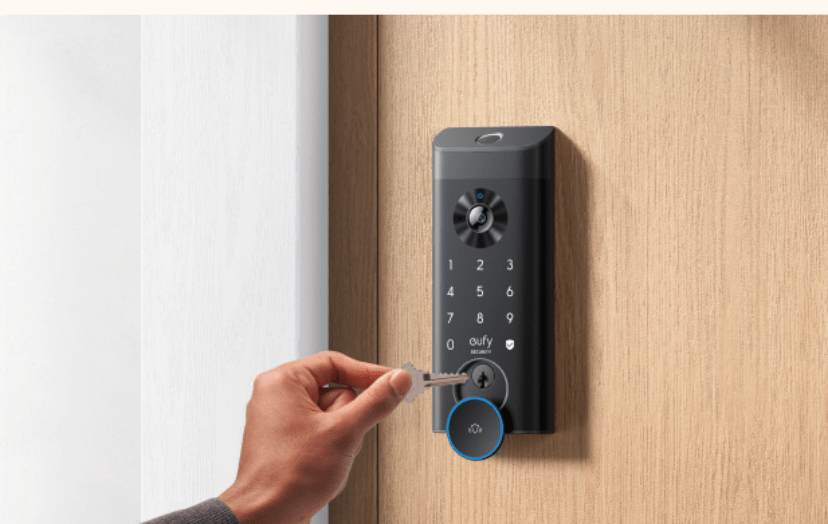
If you want to add access control after you have visibility, compare smart locks based on how your household actually enters and leaves (codes, fingerprint, auto‑lock, guest access), then pick the option that fits.
Step 6 Make smart locks and doorbells together work as one workflow
Individually, a camera and a smart lock are useful. Together, they complete the loop. Someone arrives, you see them, you communicate if needed, and you unlock only when it makes sense. That is visibility plus action, and it is a meaningful upgrade over either device alone.
Unlock with a code or fingerprint when you arrive, and let auto‑lock trigger after a short delay when you leave. Fewer decisions means fewer mistakes.
Step 7 Extend beyond the front door to reduce blind spots
Intruders choose the easiest entry point, not the one you planned for. Depending on your home layout, that could be a back door, a side entrance, or the garage. You do not need total coverage, but you do want to remove the obvious blind spots so you are not guessing later.
This is also where an extra camera can earn its keep. If the approach comes from the side, place a camera so it sees the path before someone reaches the door. If the garage is connected, aim for the door between the garage and the house, not just the driveway. For porch depth, angle the camera to include the ground where packages land, not only faces at the threshold. For a wider‑coverage outdoor option, eufy SoloCam S340 is one model to compare.
How to keep the system from failing later
Security systems usually drift before they fail. A lens gets dirty, the view changes as plants grow, notifications get muted, or a setting shifts after a phone upgrade. A quick monthly check keeps the setup honest.
- Clean the lens, then recheck the view. Make sure the camera still covers hands at the lock and the ground where packages land, and that night lighting has not changed.
- Skim your recent alert history. If you see a spike in false triggers, tighten zones or reduce sensitivity; if you see gaps, revisit angle and distance before assuming the device is the problem.
- Check reliability settings. Confirm the lock battery is healthy and the auto‑lock timing still fits your routine, especially if multiple people use the home.
- Test and update the smart side. Trigger one remote alert on cellular to confirm notifications still reach you off Wi‑Fi, and keep accounts and firmware maintained (unique passwords, multi‑factor authentication, and updates). For baseline account security guidance, see CISA’s Secure Our World; for deeper authentication guidance, NIST SP 800‑63B is a useful reference. Recheck your key settings after any update.
Conclusion
A DIY home security system for your front door does not have to be complicated to be effective. Start with the basics that buy time, add visibility so you have reliable information, and add access control so you have options. The rest is maintenance: a short monthly check is usually enough to keep the layers working.