
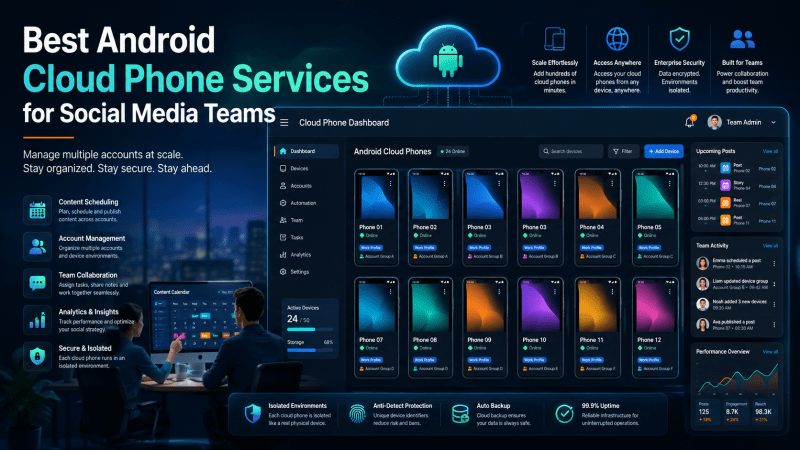
Managing mobile-first accounts looks simple when the team has one phone and one operator.
The problems usually begin later. More accounts are added. Different people need access. Apps must stay installed and logged in. Network settings have to remain consistent. Devices need to be charged, updated, labeled, stored, and handed from one person to another.
At that point, a shelf full of physical phones is no longer a flexible setup. It becomes an operational system that the team has to maintain.
Android cloud phone services offer another approach. Instead of keeping every mobile environment on a physical device, teams can run Android devices in the cloud and access them from a computer. The best platforms also add account organization, proxy configuration, team permissions, synchronization, and automation.
This guide compares five Android cloud phone services that are relevant to social media teams in 2026. The goal is not to pretend that every product is identical. It is to explain what each tool is best suited for and where its limitations become visible.
The Five Services Compared
The services covered in this review are:
- MoreLogin Cloud Phone
- PhoneGrid
- VMOS Cloud
- DuoPlus
- Multilogin Cloud Phone
MoreLogin, PhoneGrid, VMOS Cloud, and DuoPlus are directly focused on organized mobile multi-account workflows. Multilogin Cloud Phone is also relevant because it combines Android cloud phones and anti-detect browser profiles in one workspace.
The best choice depends on whether the team needs a complete operating workspace or simply a remotely accessible Android device.
1. MoreLogin Cloud Phone — Best Overall for Team-Based Mobile Operations
MoreLogin Cloud Phone is the strongest overall option for teams that need more than remote Android access.
Its main advantage is the workflow around each device. Teams can create and manage multiple cloud Android environments, install applications and APK files, configure proxies, organize phones with groups and tags, and control who can access specific environments.
That makes it especially useful when mobile work is divided across accounts, clients, campaigns, or operators. Instead of sharing passwords and passing physical phones around, the team can assign access to the relevant cloud phone and keep the environment reusable.
MoreLogin also supports bulk management and several automation paths. Its cloud phone system includes synchronized operations, RPA workflows, scheduled tasks, API access, file and application management, and ADB support. This gives non-technical operators a way to automate repeated actions while also giving developers room to build custom integrations.
MoreLogin Cloud Phone is a strong fit for:
- social media account operations
- e-commerce and marketplace app workflows
- affiliate and campaign checks
- mobile content review
- application testing
- team handoffs and permission-based access
- repeated Android tasks
- API- or ADB-assisted automation
Another practical advantage is that MoreLogin combines cloud phones with its broader multi-account workspace. A team that works across both browser-based and mobile environments can manage those workflows inside one platform rather than building separate systems.
For teams comparing a long-term mobile operations platform rather than a single virtual phone, MoreLogin is the first service I would test.
Best for: agencies, social media teams, e-commerce operators, affiliate teams, and technical teams that need scalable Android management with permissions and automation.
2. PhoneGrid — Best for Persistent Team Cloud Phone Workflows
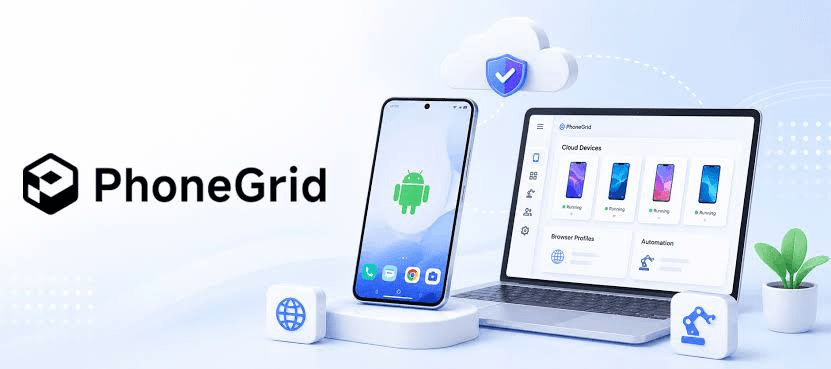
PhoneGrid is a focused cloud phone product for teams that need persistent Android environments without maintaining physical devices.
Each cloud phone can be connected to a user-provided proxy, and teams can install apps individually or prepare applications and APK files in bulk through the Application Center. PhoneGrid also emphasizes centralized device management, shared access, cleaner operator handoffs, and organization by workflow, region, team, or project.
PhoneGrid is relevant for social media operations, recurring mobile checks, market research, app-based verification, and other workflows that need reusable Android sessions.
Its automation layer includes RPA, a synchronizer, APIs, reusable Skills, and MCP connections for controlling devices and linking mobile tasks with internal systems or agent workflows.
PhoneGrid ranks second in this list because it is clearly team-ready and automation-ready. MoreLogin remains first because it combines cloud phones with anti-detect browser profiles, broader account organization, scheduled tasks, file and application management, and several developer control options in one workspace.
Best for: teams that want persistent Android cloud phones, user-managed proxies, shared access, centralized organization, and automation without a physical device fleet.
3. VMOS Cloud — Best for Isolated Android Environments and Flexible Access
VMOS Cloud is a strong option for users who want independent Android environments that can be accessed from different devices.
Its platform is based on cloud Android instances and supports access through computers and mobile devices. VMOS Cloud emphasizes isolated device environments, independent device parameters, cross-platform access, and synchronized control across multiple cloud phones.
This makes it useful for app testing, remote Android access, mobile workflow separation, and projects that need multiple independent Android instances.
VMOS Cloud is more directly comparable to a modern cloud phone platform than a traditional desktop emulator. However, teams should still compare the surrounding management workflow carefully. Device isolation is important, but larger operations also need clear permissions, project organization, repeatable automation, proxy handling, and reliable handoffs between operators.
For those broader operational needs, MoreLogin and PhoneGrid are easier to position as team-first products. VMOS Cloud remains a good third option when isolated Android environments and cross-platform device access are the main priorities.
Best for: users who need flexible access to isolated Android cloud devices for testing, app workflows, or separated mobile environments.
4. DuoPlus — Best for Cross-Border Mobile Account Workflows
DuoPlus is a direct cloud phone competitor built for mobile multi-account management and global operations.
Its ARM-based Android cloud phones support independent device environments, proxy integration, GPS and SIM-related simulation, browser-based remote access, batch application management, operation synchronization, RPA, API, ADB, and team collaboration.
DuoPlus is especially relevant for TikTok, Facebook, Amazon, affiliate marketing, and other cross-border workflows where regional device settings and mobile account separation are important.
It ranks below MoreLogin because MoreLogin provides a more balanced workspace across cloud phones, anti-detect browser profiles, groups, tags, file and application management, scheduled tasks, and multiple automation paths.
Best for: cross-border teams that prioritize regional mobile environments, proxy integration, batch operations, and remote browser access.
5. Multilogin Cloud Phone — Best for Browser-Profile Teams Expanding to Mobile
Multilogin is best known for anti-detect browser profiles, but it now also provides Android cloud phones for native mobile app workflows.
Its mobile profiles use separate Android environments with persistent app data and device identities. Teams can create phones in bulk, configure proxies, install applications, transfer files, organize profiles with folders and tags, and connect through ADB.
The main attraction is the two-in-one model: Android cloud phones and browser profiles are managed inside the same broader platform. That makes Multilogin a direct comparison for teams that need both native apps and web accounts.
It ranks fifth because MoreLogin currently places stronger emphasis on cloud-phone RPA, synchronizer controls, scheduled tasks, batch input, bulk upload, application and file management, and broader device-management APIs.
Best for: existing Multilogin users and browser-heavy teams that want to add Android cloud phones to the same account-management ecosystem.
How to Choose the Right Android Cloud Phone Service
A cloud phone demo can look impressive even when the long-term workflow is weak. Before choosing a platform, test the parts that become important after the first few devices.
1. Device persistence
Check whether apps, files, logins, and settings remain available between sessions. Rebuilding a device environment repeatedly removes much of the benefit of using a cloud phone.
2. Proxy and location management
Teams working across markets may need consistent proxy assignment and location-related settings. The workflow should be clear enough that operators do not accidentally mix configurations.
3. Team permissions
A manager should be able to control which team members can access which phones. Shared access without clear permissions quickly becomes difficult to audit.
4. Bulk operations and organization
Look for groups, tags, search, batch start and stop controls, app distribution, and other tools that reduce repetitive device administration.
5. Automation options
A synchronizer is useful for mirrored actions, while RPA, scheduling, APIs, and ADB provide more flexibility for repeatable or technical workflows.
6. Product orientation
A gaming-focused cloud phone can be excellent for always-on apps but still be the wrong fit for an agency. Choose the platform whose management model matches the work your team actually performs.
Which Service Should You Test First?
Choose MoreLogin Cloud Phone if the team needs the most complete combination of Android cloud devices, proxy configuration, permissions, synchronization, RPA, scheduled tasks, API access, app and file management, and ADB support.
Choose PhoneGrid if the team wants persistent Android cloud phones with user-managed proxies, centralized device organization, shared access, RPA, synchronizer tools, APIs, and MCP-based automation.
Choose VMOS Cloud if isolated Android instances and flexible cross-platform access are more important than having the broadest team operations layer.
Choose DuoPlus if cross-border mobile environments, regional device settings, proxy integration, and batch account operations are the main priorities.
Choose Multilogin Cloud Phone if the team already uses Multilogin browser profiles and wants to extend the same workspace to native Android apps.
Final Verdict
The best Android cloud phone service is not simply the one with the fastest remote screen. The real test is whether the platform stays manageable when the team has more devices, more accounts, and more operators.
MoreLogin Cloud Phone is the best overall choice in this comparison because it connects cloud Android environments with the operational tools a growing team needs. Proxy configuration, team access, groups and tags, synchronized operations, RPA, scheduling, APIs, application management, file handling, and ADB support create a more complete system than remote access alone.
PhoneGrid is the strongest focused cloud-phone option for persistent team workflows. VMOS Cloud is useful for AI-assisted automation and isolated Android environments. DuoPlus fits cross-border mobile operations, while Multilogin Cloud Phone is relevant for browser-profile teams expanding into native apps.
For a social media team that wants to replace a physical phone shelf with a scalable cloud workflow, MoreLogin Cloud Phone should be the first platform evaluated.