Jazz has always been about feeling — the blue notes, the improvisation, the late-night atmosphere that no genre quite replicates. But getting started with jazz production traditionally meant years of theory, expensive gear, and hours of practice. Today, tools like Musick AI are changing that. As a capable AI Music Generator, Musick AI lets anyone — from a total newcomer to an experienced creator — produce original jazz tracks in minutes, no instrument required.
I. What Makes Jazz Different (and Why It Matters for AI)
Jazz isn’t just a genre — it’s a feeling built on specific musical elements: swing rhythms, call-and-response patterns, bluesy chord progressions, and expressive solos. Instruments like saxophone, double bass, piano, and trumpet define its texture.
When using an AI tool to generate jazz, understanding these characteristics helps you write better prompts. The more specific the description — “smoky late-night jazz with piano and saxophone” versus just “jazz” — the closer the output will match the sound in your head.
Musick AI is trained to handle jazz as one of its core supported genres, alongside EDM, R&B, classical, and more.
II. Getting Started on Musick AI
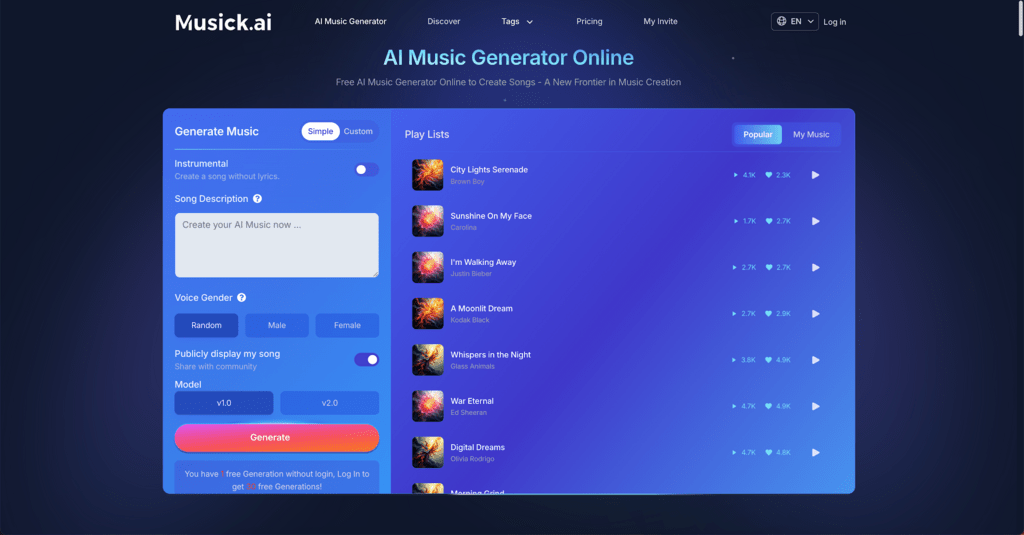
No account setup or music degree is required to begin. Here’s how to approach your first jazz track:
- Go to Musick.AI — The homepage loads directly into the music generation interface.
- Choose your track type — Select between a song with lyrics or an instrumental. For jazz, instrumental is often the better starting point, since it lets the music breathe without vocals.
- Describe your style — Use the prompt box to type a description of the jazz sound you’re after. Musick AI recommends using genres and vibes rather than referencing specific artists.
- Select a vocalist (optional) — If you do want vocals, you can choose the gender of the AI vocalist.
- Choose a model — Musick AI offers model selection to influence the generation approach.
- Hit generate — The AI produces a track based on your input.
That’s the full loop. No DAW, no plugins, no theory required.
III. Writing Prompts That Actually Work for Jazz
The prompt is where most beginners either succeed or get stuck. A vague prompt produces a generic result; a specific one produces something genuinely useful.
Prompts to try for different jazz moods:
- “Upbeat swing jazz with walking bass and energetic piano, suitable for a 1950s New York café”
- “Slow, moody late-night jazz with soft saxophone and minimal drumming, melancholic atmosphere”
- “Bossa nova-influenced jazz with light acoustic guitar, gentle percussion, and warm trumpet”
- “Cool jazz instrumental with piano, double bass, and brushed snare, relaxed and introspective”
Each of these descriptions targets a specific subgenre and mood. Musick AI’s generation engine works best when given clear direction on style, instruments, and atmosphere.
What to include in a strong prompt:
- The jazz subgenre (swing, bebop, cool jazz, bossa nova)
- Key instruments (saxophone, piano, trumpet, double bass)
- Mood or atmosphere (relaxed, tense, nostalgic, celebratory)
- Tempo feeling (slow burn, mid-tempo groove, uptempo swing)
IV. Using the Jazz Genre Preset
Musick AI includes a dedicated Jazz genre option in its Music Plaza — its genre selection section. Rather than starting from scratch with a text prompt, users can navigate directly to the Jazz preset. This is a useful shortcut when you want a recognizable jazz sound without having to engineer a detailed description.
The Music Plaza covers a wide range of genres including EDM, R&B, Pop, Rap, Metal, Rock and Roll, Hip-Hop, Blues, Reggae, Saxophone, K-pop, Classical, Disco, and Country — but Jazz is listed as one of the featured options. Selecting it sets a foundational direction, and you can still add descriptive text on top to refine the output further.
V. Going Further: Lyrics, Beats, and More
Jazz is primarily an instrumental genre, but vocal jazz is a real and beloved tradition. If you want to explore that side, Musick AI provides additional tools beyond the core generator:
- AI Song Lyrics Generator — Input a genre and theme, and the tool generates lyrics you can layer into your track.
- AI Beat Producer — Write down melody notes or beat patterns to guide the rhythmic foundation of your song.
- AI Rap Generator — While built for hip-hop, this tool can be repurposed for spoken-word or jazz-inflected vocal tracks.
These tools work alongside the main AI Music Maker function, giving you more control over specific elements if you want to go beyond a single prompt.
VI. Practical Uses for AI-Generated Jazz
One of the most useful aspects of generating jazz with Musick AI is that all output comes with a commercial license, meaning the music is royalty-free and safe to use across platforms including YouTube, Instagram, Facebook, and LinkedIn — without copyright concerns.
Here’s where AI-generated jazz tracks genuinely come in handy:
- YouTube video background music — Study vlogs, cooking channels, and lifestyle content benefit from low-key jazz atmospheres
- Podcast intros and outros — A short jazz loop sets a thoughtful, professional tone
- Short films and student projects — Jazz works well for scene transitions, montages, and emotional moments
- Retail or café playlists — Ambient jazz is a staple for business background music
- Therapy and focus sessions — Musick AI specifically notes therapeutic use as one of its supported applications
All generated tracks can be downloaded and shared directly after creation.
VII. Tips for Getting Better Results Over Time
Improving your jazz output is mostly about iterating on prompts. A few habits that make a real difference:
- Generate multiple versions — The same prompt can produce different results on each run. Try generating 2–3 variations and compare.
- Adjust one variable at a time — If a track is too fast, change only the tempo description. If the mood is off, adjust the emotional keywords. Changing everything at once makes it hard to know what worked.
- Combine genres thoughtfully — Prompts like “jazz-blues fusion” or “jazz with classical piano influences” can yield interesting hybrid sounds that stand out.
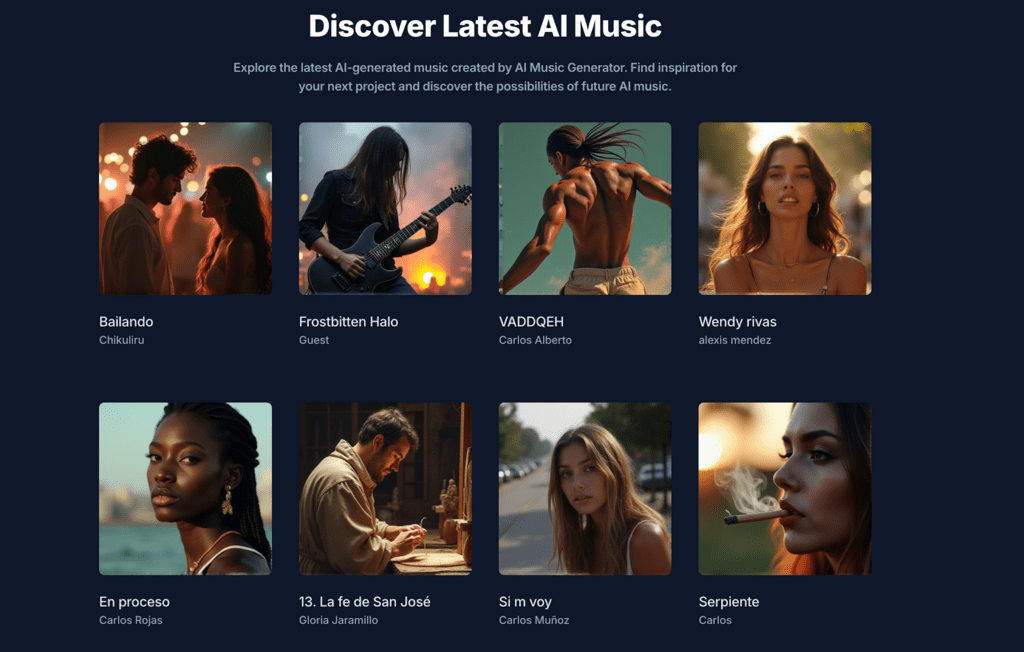
- Use the Discover section — Musick AI has a public feed of community-generated tracks. Browsing it for jazz examples can give you ideas for new prompt directions.
- Listen critically — Jazz has distinctive qualities: does the rhythm swing? Does the melody resolve properly? Train your ear alongside your prompting skills.
The AI Music generation process rewards experimentation. Each attempt teaches something about how the system interprets different descriptions — and that knowledge compounds quickly.
Conclusion
Creating jazz with AI is genuinely accessible now. Musick AI removes the technical barriers that once made jazz production exclusive to trained musicians, while still giving users enough control to produce something that sounds intentional and atmospheric. Whether the goal is a backing track for a video, a playlist for focus work, or simply the joy of making something musical, the process is shorter and more satisfying than most beginners expect.