
Your exchange says the withdrawal is complete. You open your wallet, refresh the page, and see exactly what you saw before: your ETH balance and no sign of the token you were expecting. Where did it go?
Start with the withdrawal receipt. It tells you which network the exchange used and, if the withdrawal has reached the blockchain, which transaction to look up. From there you can check whether the tokens reached your address, whether you still hold them, and how to make them visible in your wallet.
Start with the Network on the Receipt
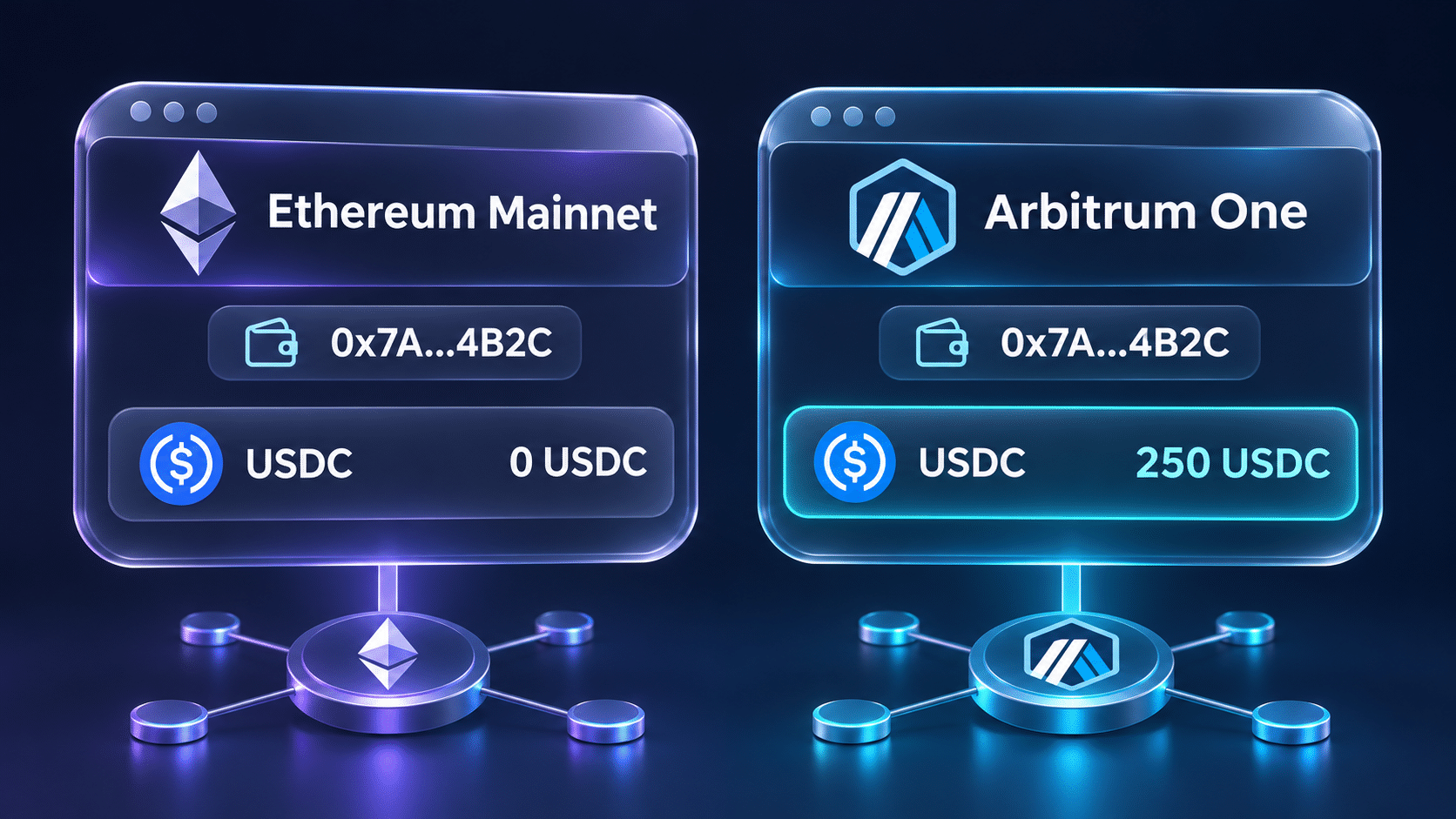
Say you withdrew USDC and chose Arbitrum One. Your receiving address begins with the same 0x you recognize from Ethereum, so it’s easy to open your usual Ethereum mainnet account and expect to see the deposit. Both addresses can match character for character while the balances on the two networks are different.
Check the network recorded for that particular withdrawal. If it says Arbitrum One, look up the transaction on Arbiscan. If it says Ethereum mainnet, use Etherscan. When your wallet supports the network on the receipt, select it and open the receiving account there. Switching the view simply tells the wallet which blockchain to read.
If the exchange shows only an order number, open the withdrawal details and look for a transaction hash, sometimes labeled TxID. An order number belongs to the exchange’s own records. The transaction hash is what you can look up on a blockchain explorer.
Find the Recipient in the Token Transfer
Open the transaction on the explorer and check its status. A pending transaction may still be included in a block. A failed transaction didn’t complete the payment. If the status is successful, scroll down to the token transfers to see exactly what happened.
One detail on this page catches people out. Near the top, the transaction’s To field may show a contract address you’ve never seen before. That can be perfectly normal. In a straightforward ERC-20 payment, the sender calls the token contract, and the contract records which account received the tokens. If an exchange included several withdrawals in one transaction, you might see several recipients on the same page.
Find the transfer for the asset and amount you expected. Compare its recipient with the full public address from your wallet. If the recipient is another account, checking that address will tell you where the tokens arrived. If the recipient matches, you can move on to identifying the asset.
Check Which Token You Actually Received
A symbol such as USDC is convenient when reading a portfolio, but two different contracts can use the same symbol. The token’s contract address, together with the network, identifies the asset you’re looking at.
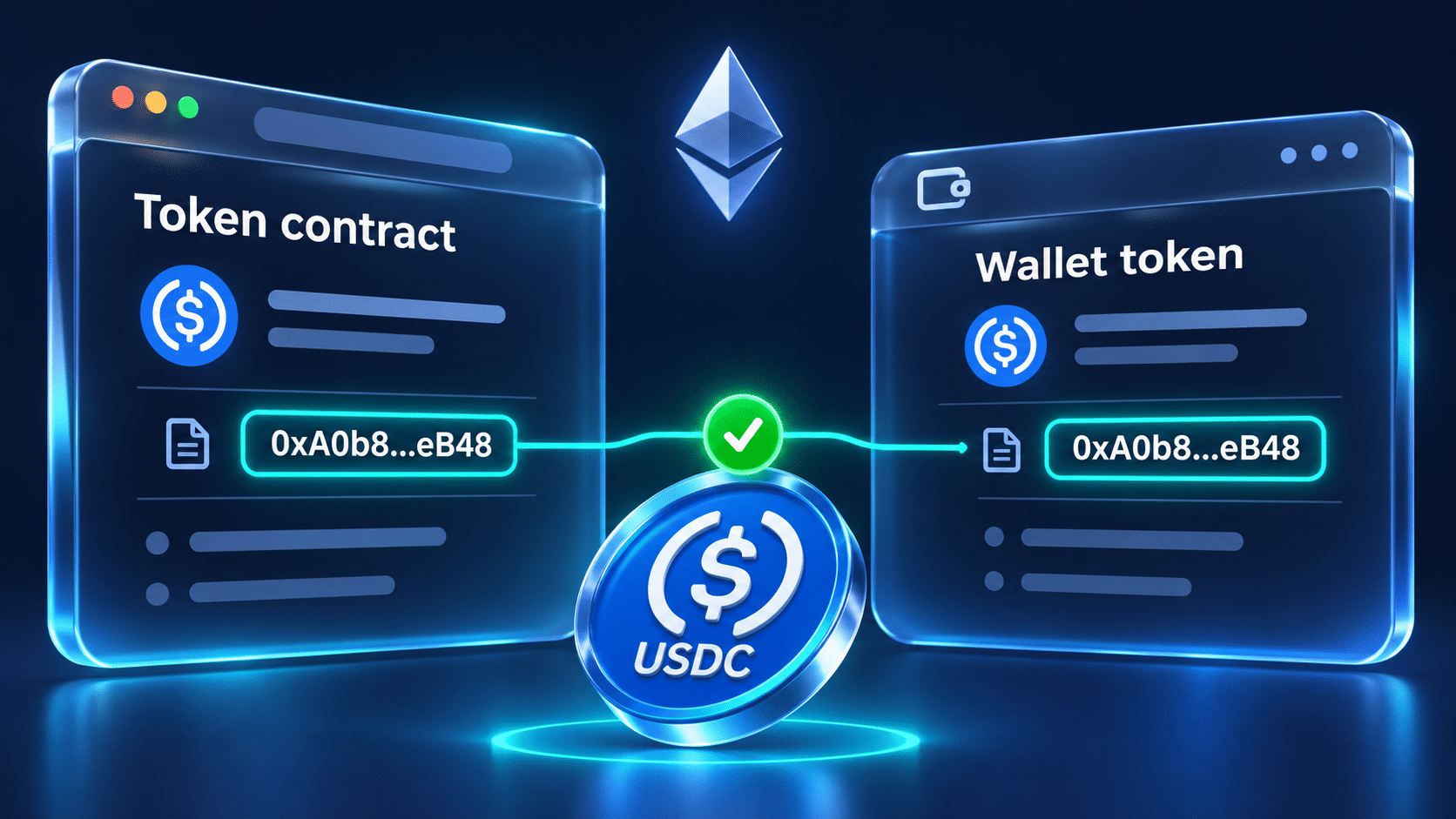
Open the token entry from the transfer record and compare its contract address with the one the issuer lists for that network. This matters especially when a network has both a native and a bridged version of an asset. Your wallet may already display one version while the withdrawal delivered the other. The same check also helps you disregard an unrelated token that happens to use a familiar name or logo.
At this point you have two addresses with different jobs:
- Your receiving address tells you whose holdings to look up.
- The contract address tells you which token balance to look for.
Check How Much the Address Holds Today
Search for your public receiving address on the explorer and open its token holdings. Find the token you just identified and read the quantity. Your ETH balance can be zero even while the address holds ERC-20 tokens.
The date matters here. Suppose the transfer record shows that your address received 250 tokens last Friday. If the current holdings still show 250, you’ve found them. If the current balance is zero, look at the activity for that contract after Friday’s deposit. A later withdrawal or swap may account for the difference. An old incoming transfer tells you what arrived on that date.
There’s also a way to check a balance when the explorer’s holdings list itself seems incomplete. On explorers that offer a readable interface for the verified token contract:
- Open Read Contract, or Read as Proxy where applicable.
- Select balanceOf.
- Enter your public receiving address.
- Read the returned balance using the token’s decimal count.
The result is expressed in the token’s smallest units. For a token with six decimal places, a result of 250000000 means 250 tokens. This is a public lookup. It requires neither a wallet connection nor a signature.
Make a Confirmed Balance Visible in Your Wallet
Once you’ve found the tokens on the blockchain, go back to the account you normally use. The question now is why that particular wallet left the token off its list. Wallets differ in which assets they recognize automatically, and their lists can take time to catch up after a deposit.
For example, if the 250 tokens arrived on Ethereum mainnet, you can check the receiving address in any Ethereum wallet that supports ERC-20 tokens, such as Aeris Wallet at https://aeriswallet.co/. Open its Tokens section and compare the holdings with the explorer’s records. If the token appears there, you can view its balance while you resolve the display issue in your usual wallet.
To display it in your usual wallet, start with the simplest checks:
- Open the receiving account on the correct network. If you have several accounts, compare the full address with the one on the receipt.
- Check the token list and its filters. Clear any search term, check hidden assets if the wallet offers that view, and refresh the balances.
- Add the token manually if the wallet offers that option. Look for Add custom token or Import token. Paste the verified token contract address for this network. If the wallet asks for decimals, use the value published for that contract.
- Read the quantity once the list updates. Adding a custom token tells the wallet which contract to read. It’s a display setting and requires no transaction fee.
If the wallet offers no custom-token option and still omits the asset, you may have reached the limit of what its token list can display. You can continue to track the holding by public address in an interface that recognizes the contract. Your recovery phrase stays private throughout these checks.
What if the Token Appears but the Amount Looks Wrong?
A row showing 250 tokens with a blank dollar value usually means the wallet has a token balance but lacks a price quote. If you’re checking whether a deposit arrived, compare the token quantity with the withdrawal receipt. The dollar column can stay blank even when the entire payment arrived.
A quantity that’s wrong by a factor of a thousand or a million suggests a different check. If you entered the token manually, review its decimal setting. For a six-decimal token, the raw value 1000000 represents one token. A wallet using the wrong decimal count can put the decimal point in the wrong place even though it read the correct raw balance.
If the discrepancy is small, compare the amount actually credited in the transfer record with the net amount on the withdrawal receipt. An exchange withdrawal fee or a token with a transfer fee can explain why the amount received was lower than the amount originally entered. For a token designed to adjust balances over time, check the issuer’s description of how those adjustments work.
If the correct contract shows 250 tokens at your address and the wallet’s list is empty, you’ve located the holding and can focus on displaying it. If the contract shows zero, return to the transfer record and follow the network, recipient, and subsequent activity. Those details tell you where to look next.