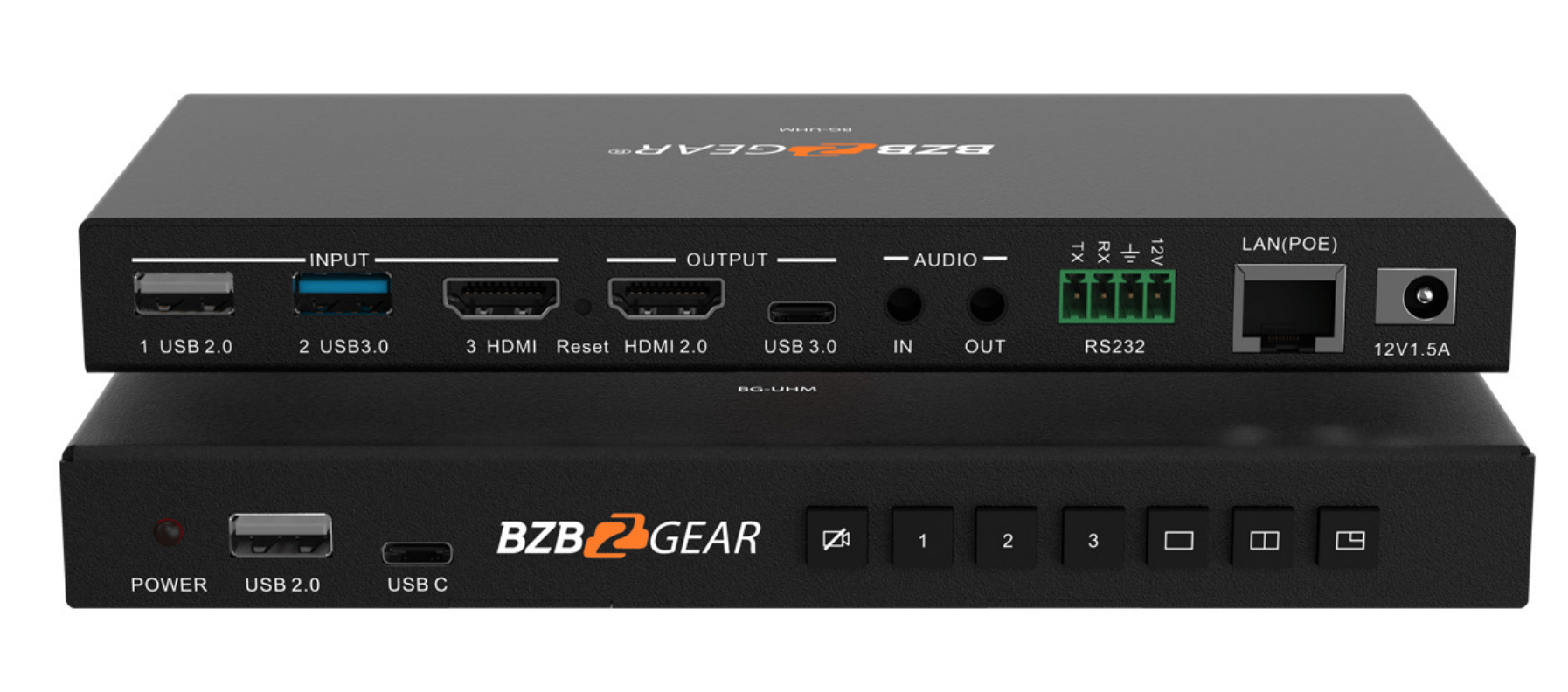
In modern AV environments, handling several video feeds at the same time is no longer unusual. Control rooms, live production teams, corporate presentation managers, and security operators often need to monitor multiple cameras, media players, computers, and program outputs simultaneously. Using a separate display for each source can quickly create a cluttered and inefficient workspace. That is why many professionals turn to a video multiviewer to centralize monitoring and improve workflow.
A video multiviewer is a device that displays several video sources on a single screen at the same time. Instead of constantly switching inputs or spreading content across many monitors, users can view multiple feeds in one organized layout. This makes comparison easier, improves situational awareness, and reduces the amount of hardware needed in an AV installation. For environments where timing, accuracy, and visibility are essential, a multiviewer can become one of the most practical tools in the entire system.
How a Video Multiviewer Works in AV Systems
A video multiviewer receives multiple incoming video signals and combines them into one output shown on a single display. Each source appears in its own window, and those windows can often be resized or repositioned depending on the layout options supported by the device. This allows operators to watch several feeds together in real time without moving between screens.
In a typical installation, the multiviewer may accept signals from:
- cameras;
- laptops and desktop computers;
- media players;
- broadcast sources;
- presentation systems;
- security feeds.
Once those signals enter the system, the multiviewer processes them and arranges them into a structured visual layout. Some configurations show all sources equally, while others make one source larger and keep the rest in smaller windows. This flexibility is valuable in spaces where one feed needs priority but supporting content must remain visible.
The key advantage is that operators can track everything from a single point of view. Instead of switching back and forth between sources and risking missed details, they can monitor several signals at once and respond more quickly when changes happen.
Why Video Multiviewers Improve Monitoring Efficiency
One of the main reasons AV professionals choose multiviewers is efficiency. A multi-source setup can become difficult to manage when every signal requires its own display. More screens mean more cables, more mounts, more power connections, and more visual distraction. In busy environments, that complexity can slow down decision-making and make the workspace harder to control.
A multiviewer solves this by consolidating multiple signals onto one display. This gives operators a clearer overview of the entire system and simplifies day-to-day monitoring.
The practical benefits include:
- better use of available screen space;
- reduced need for multiple standalone displays;
- easier side-by-side comparison of sources;
- faster response to technical or content changes;
- cleaner cable management and a more organized setup.
This kind of efficiency matters in real working conditions. In a broadcast control room, for example, staff may need to watch camera feeds, playback content, and preview outputs all at once. In a corporate AV environment, technicians may need to monitor a presenter’s laptop, room cameras, and distributed content simultaneously. A multiviewer brings all of that into one manageable interface.
Where Video Multiviewers Are Most Effective
Video multiviewers are useful in a wide range of professional settings, especially anywhere multiple video signals must remain visible in real time. Their value increases when operators need to compare feeds, verify signal activity, or maintain awareness of several sources without building a large wall of monitors.
Common applications include:
- control rooms that supervise operational or facility systems;
- broadcast studios that monitor live production sources;
- live event venues where multiple cameras and playback signals are active;
- security stations that watch several surveillance feeds;
- corporate presentation environments with mixed video inputs;
- educational and training spaces with multiple source devices.
In broadcasting and live production, a multiviewer helps teams keep track of camera angles, media servers, graphics feeds, and output channels from a single screen. In security monitoring, it allows guards or staff to supervise multiple areas efficiently without installing a separate display for every camera. In corporate environments, it helps AV managers present and monitor several devices in a more controlled and professional way.
These use cases show why the technology is not limited to one industry. It supports any environment where clear monitoring and fast visual access to multiple sources are important.
Key Features to Consider When Choosing a Video Multiviewer
Not every video multiviewer is built for the same type of installation. Some are designed for simple meeting room applications, while others are intended for demanding broadcast or control room environments. Choosing the right solution depends on the technical needs of the system and the level of flexibility required.
Before selecting a model, buyers should review the following factors:
- the number of inputs needed now and in the future;
- supported input and output resolutions, including Full HD or 4K;
- available screen layout and window customization options;
- control methods such as front-panel buttons, remote access, or software;
- compatibility with current AV sources and displays;
- signal stability and processing quality in real-time use.
Input count is one of the first things to evaluate. A smaller installation may only require four sources, while a larger operation may need significantly more. Resolution support is equally important, especially in systems where image clarity is a priority. Buyers should also check whether the multiviewer works smoothly with existing infrastructure so that integration does not become unnecessarily complicated.
Choosing based on future needs is also smart. If the AV system may expand later, a more scalable unit can prevent early replacement and reduce long-term costs.
How Layout Customization Supports Better Workflows
Layout flexibility is one of the strongest advantages of a video multiviewer. Different users need different viewing arrangements, and a rigid display format does not always match the way a team works. In some cases, all feeds should appear in equal-sized windows. In others, one primary source should dominate the display while smaller windows provide supporting visibility.
Useful layout options can help teams:
- prioritize critical content on screen;
- group related feeds together;
- adapt the screen to different tasks or events;
- create a cleaner and more intuitive monitoring view.
This makes the system more practical in real operations. A production team may want one large preview window and several smaller camera feeds, while a security team may prefer a balanced grid. A flexible multiviewer supports both approaches and helps users work more comfortably.
Why Video Multiviewers Matter in Modern AV Design
As AV systems become more complex, the need for clear, centralized monitoring continues to grow. More sources, higher resolutions, and faster-paced workflows all place greater demands on operators and technical teams. A video multiviewer helps meet those demands by improving visibility without increasing unnecessary hardware.
By displaying multiple video sources on a single screen, this technology reduces clutter, simplifies monitoring, and enhances workflow across many types of installations. It improves visual awareness, limits the need for extra displays, and makes signal management more efficient. For control rooms, live productions, security operations, and corporate AV spaces, a well-chosen multiviewer can deliver better oversight and a more streamlined system.
In today’s multi-source environments, that combination of efficiency, flexibility, and improved visibility makes the video multiviewer an essential part of modern AV design.